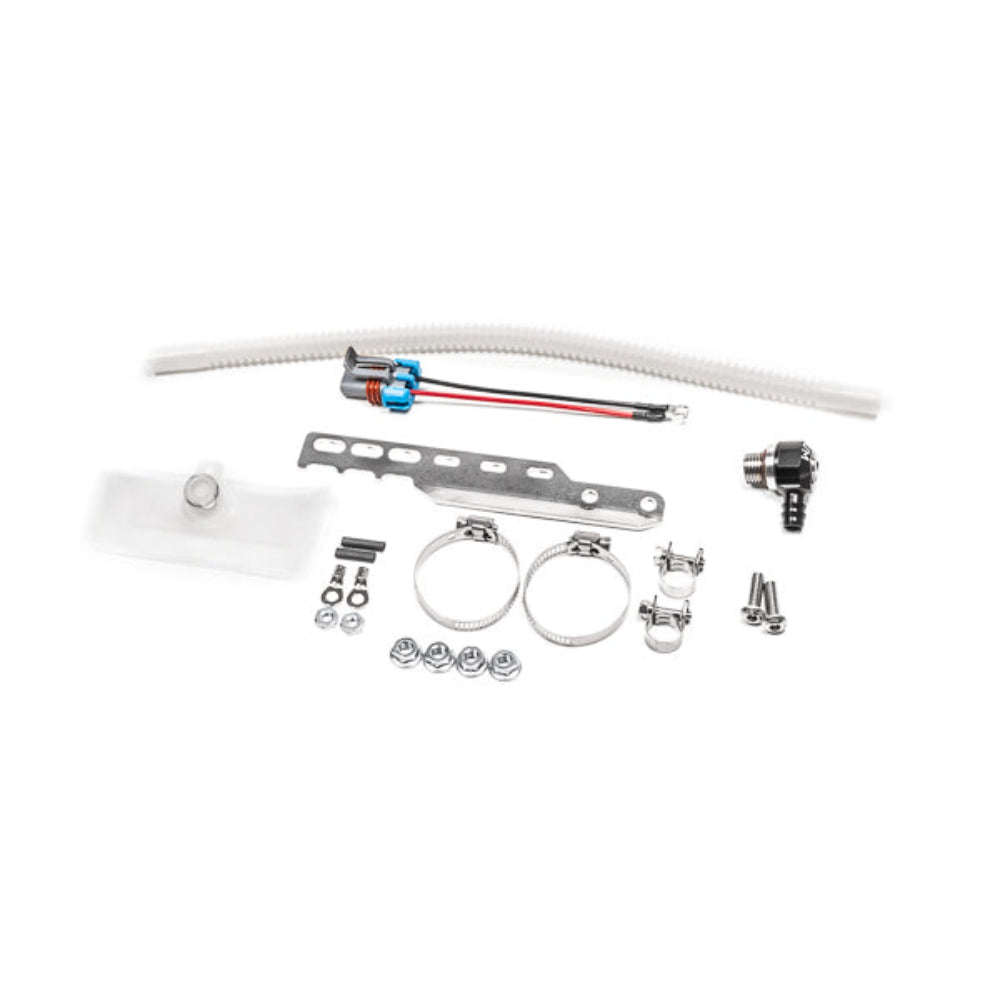
NOTES: 1. Part number 20-1790 or 20-1792 are required to use these add-ons. 2. If a brushless pump was installed, a "dual pump add-on" CANNOT be used due to the extra brushless controller wires.
The architecture of this Honda fuel tank is very unique. Because the opening is so small, 2 pumps cannot fit through at the same time. Additionally, the angle of insertion combined with the tall collector bowl and shallow tank make dual pump installation rather difficult.
An electrical plug and a SAE quick connector eliminate the need to perform tedious assembly before dropping the entire assembly into the tank. Both fuel pumps merge into the single 8AN ORB outlet of the fuel hat. And because of the integrated check valves with the following pumps, staging is permitted.
FUEL PUMPS Choosing the best fuel pump is based on the expected engine power output, fuel type (gasoline, E85, etc.), and fuel pressure.
*Sock filters are included in this kit for these pumps. **Sock filters are included by the fuel pump manufacture. +These pumps do NOT feature a check valve.
FEATURES -Gasoline, Methanol, and E85 Compliant -Compatible with Various Pumps -Included Fuel Pump Filter Sock -Plug and Play Installation -Bolt-On Stainless Pump Bracket
Why Buy From Us?
Worldwide shipping
1000's of items in stock
Multiple payment options
14 day returns period
Payment & Security
Your payment information is processed securely. We do not store credit card details nor have access to your credit card information.
Price Match Request
Related items
Recently viewed
Loyalty Points
Earn
loyalty points worth !
Free Shipping
Free UK shipping on orders over £150!
Price Match
Seen the same part cheaper? We'll match any like for like price from a UK company!
Free shipping
On all orders over £150
Satisfied or refunded
We know you'll love our products
Top-notch support
We're here to answer your questions
Secure payments
100% SSL secure payments
Opens in a new window.
PayPal Pay Later Messaging
Step 1: Choose message placement
Click the button below and then hover over your page to select a placement.
Step 2: Paste and save
You have copied the placement for the Product Page.
Go back to the App Embeds section, and in the Paypal Advanced Settings, paste the copied value into the
Product Page field and click the 'Save' button in the top right corner.