We use cookies and similar technologies to provide the best experience on our website. Privacy Policy
Roll over image to zoom inClick on image to zoom
/
Description
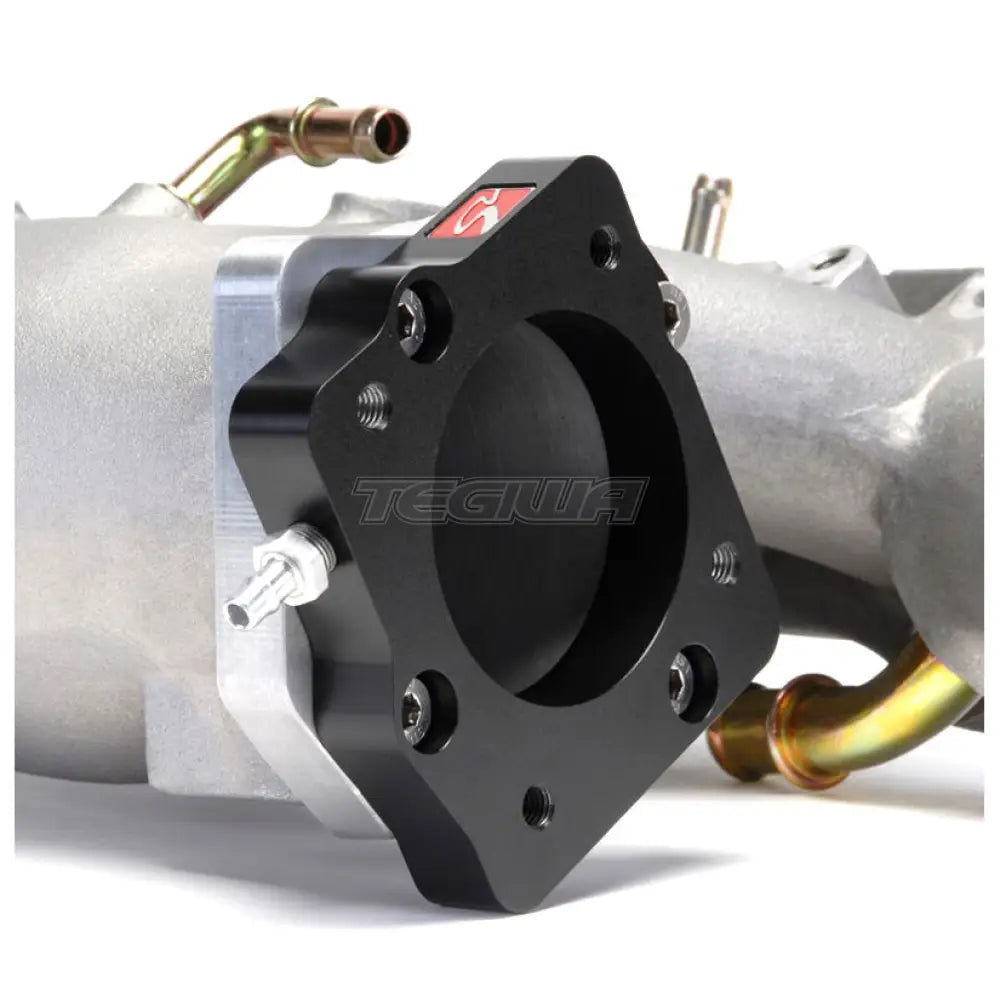
Skunk2's all-new K2B Throttle Body Adapter now offers H-series enthusiasts even more flexibility. Thanks to Skunk2's 6061-T6 billet aluminum adapter, any B/H-series throttle body can be bolted onto any RBC-style K-series intake manifold, which is particularly useful when combined with Skunk2's H2K Intake Manifold Adapter.
Skunk2's K2B Throttle Body Adapter makes the H2K intake manifold conversion even easier, allowing most B/H-series throttle bodies to bolt directly onto any RBC-style intake manifold, including Skunk2's Pro Series Intake Manifolds. Now reuse your existing B/H-series throttle body assembly for a quicker, less expensive alternative to sourcing a K-series throttle body, MAP sensor and TPS.
Each unique, CNC-machined and hard-anodized throttle body adapter features a 68mm bore, recessed holes for easy adaptation, and an 1/8-inch NPT port for even further flexibility. All necessary mounting hardware is included with each adapter, making for an easy installation.
Skunk2's K2B Throttle Body Adapters are designed to work with RBC-style manifolds.
Note: Complement your K2B Throttle Body Adapter with an H2K Intake Manifold Adapter. Only compatible with RBC-style intake manifolds. 68mm bore.
Why Buy From Us?
Worldwide shipping
1000's of items in stock
Multiple payment options
14 day returns period
Payment & Security
Your payment information is processed securely. We do not store credit card details nor have access to your credit card information.
Price Match Request
Related items
Recently viewed
Loyalty Points
Earn
loyalty points worth !
Free Shipping
Free UK shipping on orders over £150!
Price Match
Seen the same part cheaper? We'll match any like for like price from a UK company!
Free shipping
On all orders over £150
Satisfied or refunded
We know you'll love our products
Top-notch support
We're here to answer your questions
Secure payments
100% SSL secure payments
Opens in a new window.
PayPal Pay Later Messaging
Step 1: Choose message placement
Click the button below and then hover over your page to select a placement.
Step 2: Paste and save
You have copied the placement for the Product Page.
Go back to the App Embeds section, and in the Paypal Advanced Settings, paste the copied value into the
Product Page field and click the 'Save' button in the top right corner.