We use cookies and similar technologies to provide the best experience on our website. Privacy Policy
Roll over image to zoom inClick on image to zoom
/
Description
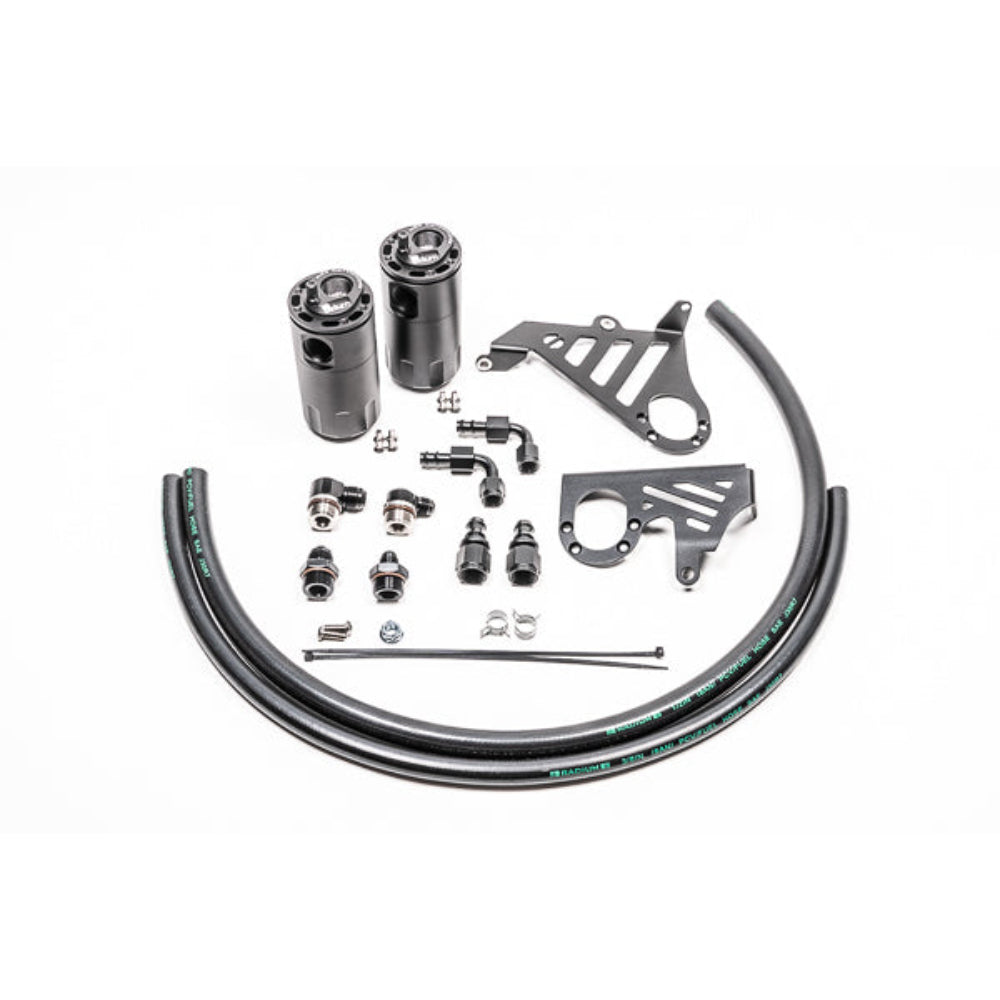
Radium Engineering catch cans feature large 10AN ORB ports, a 4AN ORB drain port, 2-step oil separation baffling, and an O-ring sealed dipstick. These kits mount using factory holes and integrate perfectly with the surrounding components. These two oil catch cans (PCV and CCV) function completely independent of each other and are sold individually or together. They do NOT vent to atmosphere (VTA), thus are emissions and track legal. Closed loop systems remove the oil and sludge from the PCV gasses before it is routed to the engine to be burned. A closed loop system also promotes negative crankcase pressure for optimal performance. Furthermore, closed systems prevent unwanted oil vapors from entering the cabin. The dipsticks built into the catch cans allow easy inspection of accumulated fluid. No cutting, drilling or permanent modification to the vehicle is required. Dual Catch Can Kit 20-0358-FL Compatibility: 15-18 Focus ST Requires Radium 20-0356 Sound Symposer Delete Kit The two catch can kits (PCV and crankcase) mentioned above can be purchased together using part numbers 20-0328-FL (Focus RS) or 20-0358-FL (Focus ST).
Why Buy From Us?
Worldwide shipping
1000's of items in stock
Multiple payment options
14 day returns period
Payment & Security
Your payment information is processed securely. We do not store credit card details nor have access to your credit card information.
Price Match Request
Related items
Recently viewed
Loyalty Points
Earn
loyalty points worth !
Free Shipping
Free UK shipping on orders over £150!
Price Match
Seen the same part cheaper? We'll match any like for like price from a UK company!
Free shipping
On all orders over £150
Satisfied or refunded
We know you'll love our products
Top-notch support
We're here to answer your questions
Secure payments
100% SSL secure payments
Opens in a new window.
PayPal Pay Later Messaging
Step 1: Choose message placement
Click the button below and then hover over your page to select a placement.
Step 2: Paste and save
You have copied the placement for the Product Page.
Go back to the App Embeds section, and in the Paypal Advanced Settings, paste the copied value into the
Product Page field and click the 'Save' button in the top right corner.