We use cookies and similar technologies to provide the best experience on our website. Privacy Policy
Roll over image to zoom inClick on image to zoom
/
Description
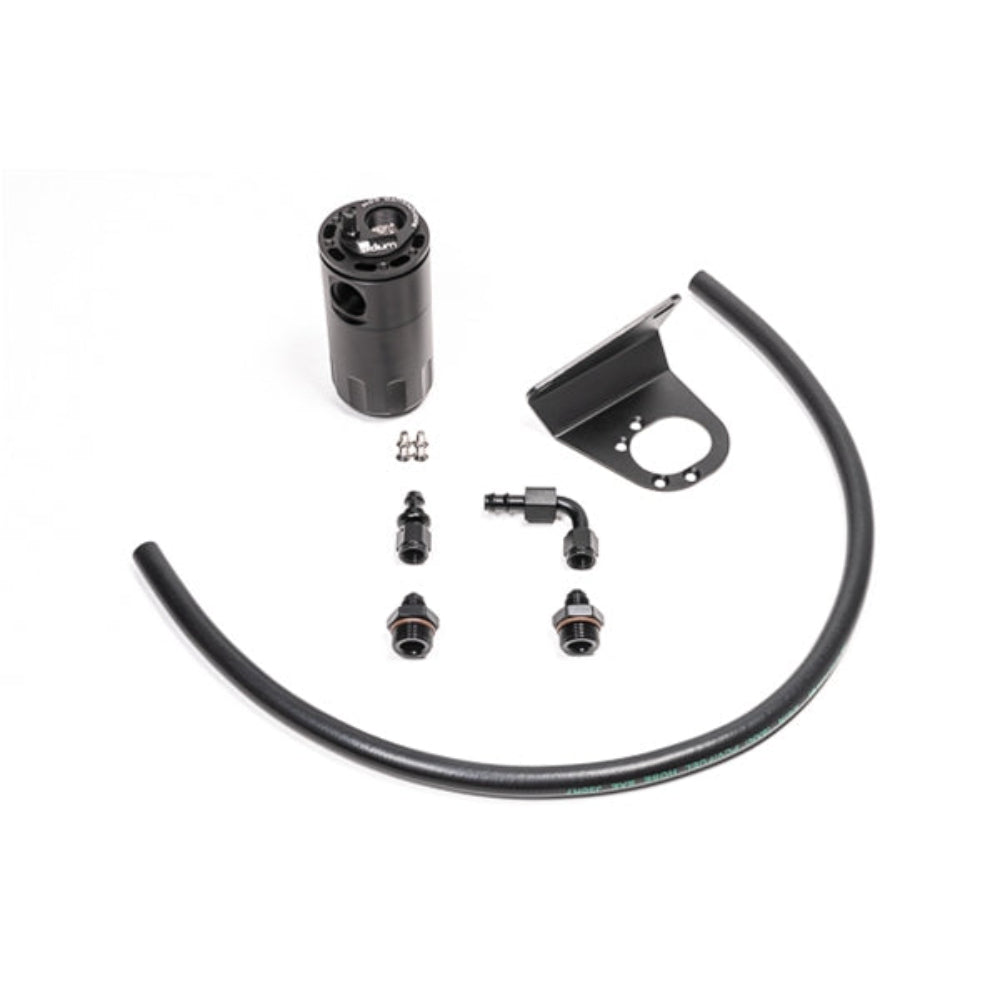
Radium Engineering catch can is plumbed in-line with the PCV tube and draws out oil and water condensation from the PCV gasses that would otherwise be drawn into the intake manifold. Furthermore, the closed system prevents unwanted oil vapors from entering into the cabin. The custom bracket mounts to the firewall near the brake booster. Make sure your vehicle has the necessary mounting studs on the firewall before ordering.
his installation kit was specifically designed for the GMT800 GM trucks/SUVs with Vortec V8 gasoline engines.
VEHICLE COMPATIBILITY
00-06 GMC Yukon * 99-06 GMC Sierra 1500 * 99-06 Chevrolet Silverado 1500 * 02-06 Chevrolet Avalanche * 99-06 Chevrolet Silverado 2500HD/3500HD * 99-06 Chevrolet Silverado 2500HD/3500HD * 2007 Chevrolet Silverado 1500 Classic * 2007 Chevrolet Silverado 2500HD/3500HD Classic 00-06 Chevrolet Tahoe 00-06 Chevrolet Suburban 02-06 Cadillac Escalade * V8 models up to 6.0LINCLUDES -Radium billet oil catch can with integrated condenser and dipstick -Radium GM-specific mounting bracket -Black anodized aluminum 6AN hose ends -Anodized 6AN adapter fittings -Stainless steel mounting hardware -3/8" PCV rubber hose
Why Buy From Us?
Worldwide shipping
1000's of items in stock
Multiple payment options
14 day returns period
Payment & Security
Your payment information is processed securely. We do not store credit card details nor have access to your credit card information.
Price Match Request
Related items
Recently viewed
Loyalty Points
Earn
loyalty points worth !
Free Shipping
Free UK shipping on orders over £150!
Price Match
Seen the same part cheaper? We'll match any like for like price from a UK company!
Free shipping
On all orders over £150
Satisfied or refunded
We know you'll love our products
Top-notch support
We're here to answer your questions
Secure payments
100% SSL secure payments
Opens in a new window.
PayPal Pay Later Messaging
Step 1: Choose message placement
Click the button below and then hover over your page to select a placement.
Step 2: Paste and save
You have copied the placement for the Product Page.
Go back to the App Embeds section, and in the Paypal Advanced Settings, paste the copied value into the
Product Page field and click the 'Save' button in the top right corner.