We use cookies and similar technologies to provide the best experience on our website. Privacy Policy
Roll over image to zoom inClick on image to zoom
/
Description
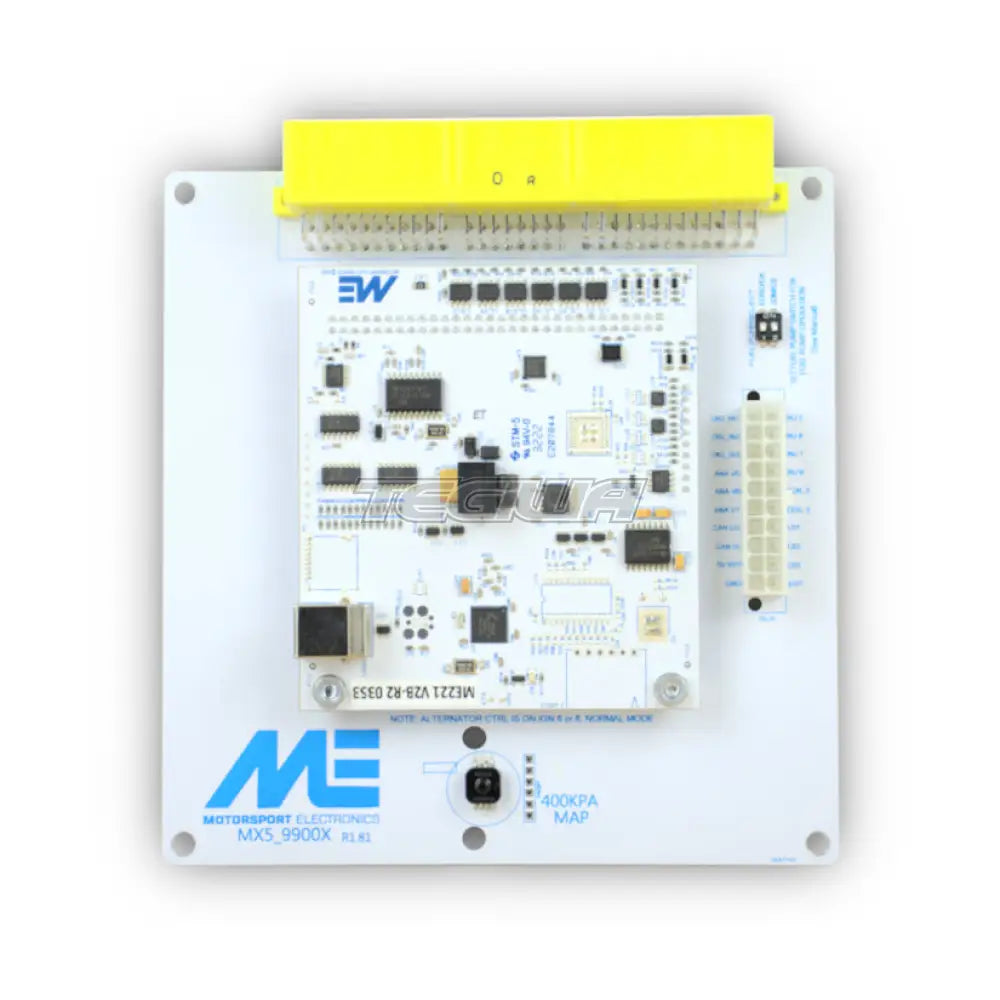
The ME221 MX-5 PnP is the latest plug-n-play Engine Management System for the Mk1 (3 Plug NA) MX-5 / Miata, years 1996-1998 1.6/1.8
It supports the 1.6 and 1.8 model from the same hardware, and also fits the OEM case, which means the conversion installs tidily into the OEM position. The only extra thing you need to do besides plugging it in is run a MAP vacuum hose (supplied) from the ECU to the intake manifold.
Uses the ME221 ECU Core (Freescale Automotive Processing Power)
Supports all factory sensors.
Truly Plug-n-Play : Supports both switched TPS and linear TPS conversions.
16_16 Fuel and Ignition Tables (with dual table switching)
VE based fuelling algorithm.
Run any type of high impedance injectors.
DSP Knock Control
in-built 21psi MAP sensor (or use your factory AFM)
Closed Loop Boost Control
Launch Control
Fully Sequential on 1.8 version
In the field regular FW updates and improvements
Uses the powerful MEITE tuning studio.
An open approach to firmware/software features.
Supplied with rolling road certified and developed basemaps for either turbo or NB setups.
You will need to remove your factory ECU, and follow THIS guide on how to remove the core and install the ME221 core.
If you wish to run without a MAF sensor, then you will need to install an Intake Air Temperature Sensor _ available in the options list.
Why Buy From Us?
Worldwide shipping
1000's of items in stock
Multiple payment options
14 day returns period
Payment & Security
Your payment information is processed securely. We do not store credit card details nor have access to your credit card information.
Price Match Request
Related items
Recently viewed
Loyalty Points
Earn
loyalty points worth !
Free Shipping
Free UK shipping on orders over £150!
Price Match
Seen the same part cheaper? We'll match any like for like price from a UK company!
Free shipping
On all orders over £150
Satisfied or refunded
We know you'll love our products
Top-notch support
We're here to answer your questions
Secure payments
100% SSL secure payments
Opens in a new window.
PayPal Pay Later Messaging
Step 1: Choose message placement
Click the button below and then hover over your page to select a placement.
Step 2: Paste and save
You have copied the placement for the Product Page.
Go back to the App Embeds section, and in the Paypal Advanced Settings, paste the copied value into the
Product Page field and click the 'Save' button in the top right corner.