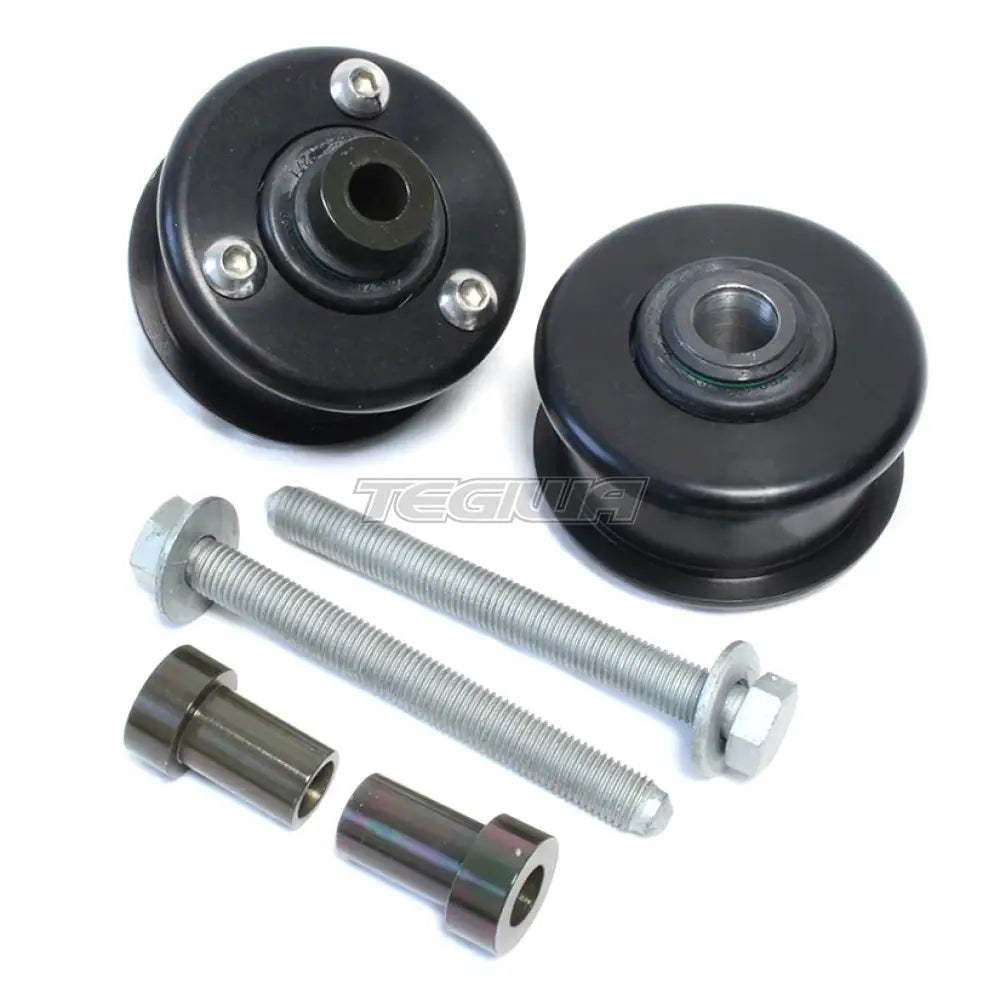
BimmerWorld Precision Front Upper Control Arm Bearing Kit was originally designed for E9X cars because of the huge amount of suspension load that the front upper control arm, or thrust arm or tension strut, takes in an F8X car under braking. BMW has continued with the multi-link front end in the F8X series, meaning the same issue needs to be addressed.
In street cars, the rubber bushings in M2, M3, and M4 are big and soft with an open design to allow the joint to rotate in multiple axes, which is required when turning the steering wheel through its range of motion. Unfortunately, this means the bushing is compressing and then releasing and causing the tire to skip across the pavement under braking - a condition worsened once ABS is engaged.
Our Precision Front Upper Control Arm Bearing Kit is the slam dunk solution for this problem. Utilizing a fully-sealed bearing, similar to the ones on other suspension locations in your car as supplied from the factory, gives full multi-axis rotation. Since this is a true OE-quality bearing and fully sealed, this part is perfectly at home even on a performance street car and the durability and performance is perfect even in the extremes of a 24-Hour endurance race car. Adding these parts to your tracked car will make a noticeable improvement in braking and turn-entry grip.
Why Buy From Us?
Worldwide shipping
1000's of items in stock
Multiple payment options
14 day returns period
Payment & Security
Your payment information is processed securely. We do not store credit card details nor have access to your credit card information.
Price Match Request
Related items
Recently viewed
Loyalty Points
Earn
loyalty points worth !
Free Shipping
Free UK shipping on orders over £150!
Price Match
Seen the same part cheaper? We'll match any like for like price from a UK company!
Free shipping
On all orders over £150
Satisfied or refunded
We know you'll love our products
Top-notch support
We're here to answer your questions
Secure payments
100% SSL secure payments
Opens in a new window.
PayPal Pay Later Messaging
Step 1: Choose message placement
Click the button below and then hover over your page to select a placement.
Step 2: Paste and save
You have copied the placement for the Product Page.
Go back to the App Embeds section, and in the Paypal Advanced Settings, paste the copied value into the
Product Page field and click the 'Save' button in the top right corner.