We use cookies and similar technologies to provide the best experience on our website. Privacy Policy
Roll over image to zoom inClick on image to zoom
/
Description
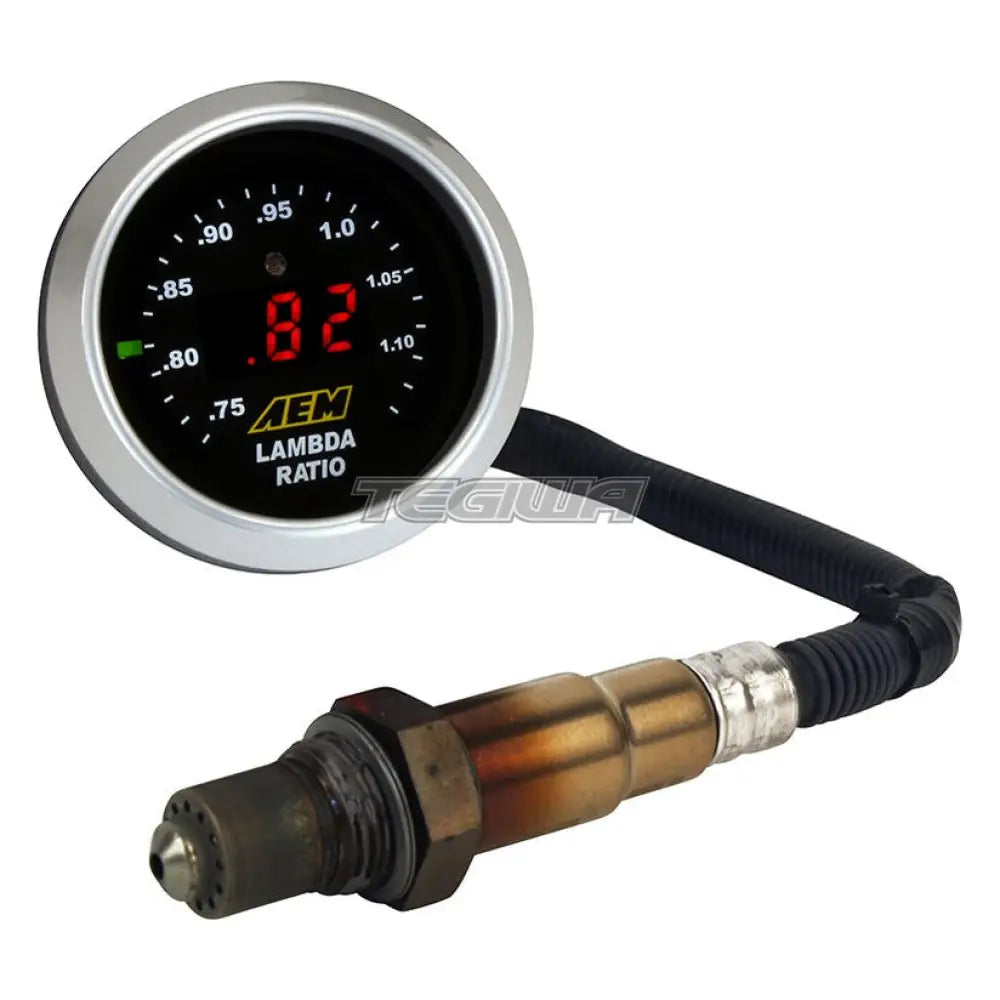
A wideband UEGO sensor controller accurately monitors Air/Fuel ratios (AFR) during the tuning process to prevent a lean fuel mixture, which could lead to engine damage. AEM has combined its single-channel wideband UEGO controller and gauge display into one unit, uniting unsurpassed AFR accuracy and control with an easy-to-read interface. AEM’s Gauge-Type Wideband UEGO Controller features a digital LED display and sweeping LED “needle†that changes colours as AFR changes from rich to lean. The unit’s 52mm gauge housing fits in most gauge pods and can be remotely mounted virtually anywhere.
Universal Application - complete kit.
Sensor cable length 25cm.
Extension cable length from gauge to sensor connector 350cm.
- Ideal AFR monitoring tool for EFI, and engine dynamometers.
- Does not oscillate AFR reading like narrow band sensors.
- No laptop required for monitoring.
- Bosch sensor included.
- Accurate to 0.1 Air Fuel Ratio.
- Reads in AFR or Lambda via a switch in back of gauge housing.
- 24 Colour-coded LED display lights provide immediate reference to AFR.
- Integrated three-digit display reveals AFR or Lambda in real time
- User-programmable 0-5v analog output included.
- For use with data loggers and virtually any engine management system.
- Serial data stream included for output of AFR (RS 232).
Why Buy From Us?
Worldwide shipping
1000's of items in stock
Multiple payment options
14 day returns period
Payment & Security
Your payment information is processed securely. We do not store credit card details nor have access to your credit card information.
Price Match Request
Related items
Recently viewed
Loyalty Points
Earn
loyalty points worth !
Free Shipping
Free UK shipping on orders over £150!
Price Match
Seen the same part cheaper? We'll match any like for like price from a UK company!
Free shipping
On all orders over £150
Satisfied or refunded
We know you'll love our products
Top-notch support
We're here to answer your questions
Secure payments
100% SSL secure payments
Opens in a new window.
PayPal Pay Later Messaging
Step 1: Choose message placement
Click the button below and then hover over your page to select a placement.
Step 2: Paste and save
You have copied the placement for the Product Page.
Go back to the App Embeds section, and in the Paypal Advanced Settings, paste the copied value into the
Product Page field and click the 'Save' button in the top right corner.