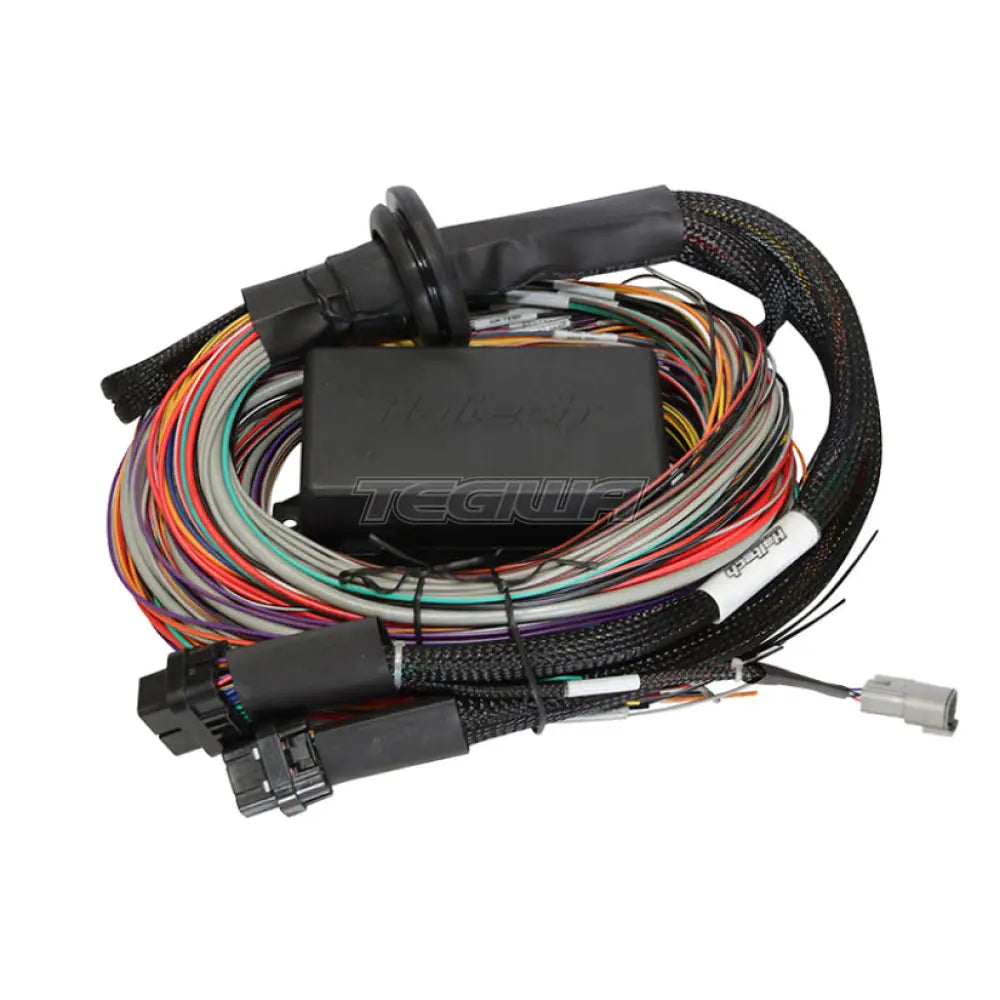
HARNESS OVERVIEW Ideal for dedicated race cars, engine swaps and custom wiring jobs. The Universal Wire-in Harness has a set of ECU connectors at one end and unterminated wires at the other. All the wires at the unterminated end are colour coded and clearly labelled. Connect your Haltech ECU to the terminated end and follow your wiring diagram for all the engine connections. Load your base map and you're ready to go! Colour coded and labelled wires that match the detailed wiring diagram for a confusion free construction process. The wiring diagram is accompanied by the full ECU manual and Software located on the CD or USB key provided with the ECU to refer to while completing your installation and configuration.
Includes: Firewall grommet, moulded 6 power circuit Haltech fuse box and lid. 4 relays, 7 fuses and pins for the 2 spare power circuits.
Features HARNESS FEATURES This harness when installed in conjunction with a Haltech Elite ECU opens the door to virtually limitless performance modification and tuning of your vehicle. Fully programmable systems allow you to extract all the performance from your engine by delivering precisely the required amount of fuel and ignition timing that your engine requires for maximum output under all operating conditions.
Why Buy From Us?
Worldwide shipping
1000's of items in stock
Multiple payment options
14 day returns period
Payment & Security
Your payment information is processed securely. We do not store credit card details nor have access to your credit card information.
Price Match Request
Related items
Recently viewed
Loyalty Points
Earn
loyalty points worth !
Free Shipping
Free UK shipping on orders over £150!
Price Match
Seen the same part cheaper? We'll match any like for like price from a UK company!
Free shipping
On all orders over £150
Satisfied or refunded
We know you'll love our products
Top-notch support
We're here to answer your questions
Secure payments
100% SSL secure payments
Opens in a new window.
PayPal Pay Later Messaging
Step 1: Choose message placement
Click the button below and then hover over your page to select a placement.
Step 2: Paste and save
You have copied the placement for the Product Page.
Go back to the App Embeds section, and in the Paypal Advanced Settings, paste the copied value into the
Product Page field and click the 'Save' button in the top right corner.